By Cadenus
On this page
The Instagram safe zone is the part of the frame that Instagram's own interface never covers, no username over your hook, no like button over your caption, no reply bar over your CTA. Meta publishes the safe zone as an official design file for advertisers, but almost everyone quotes it second-hand and rounds the numbers. We did it differently: we took Meta's own safe zone checker file, measured it pixel by pixel, and rebuilt it as clean overlay PNGs you can drop straight into your editor. Free, no email, exact.
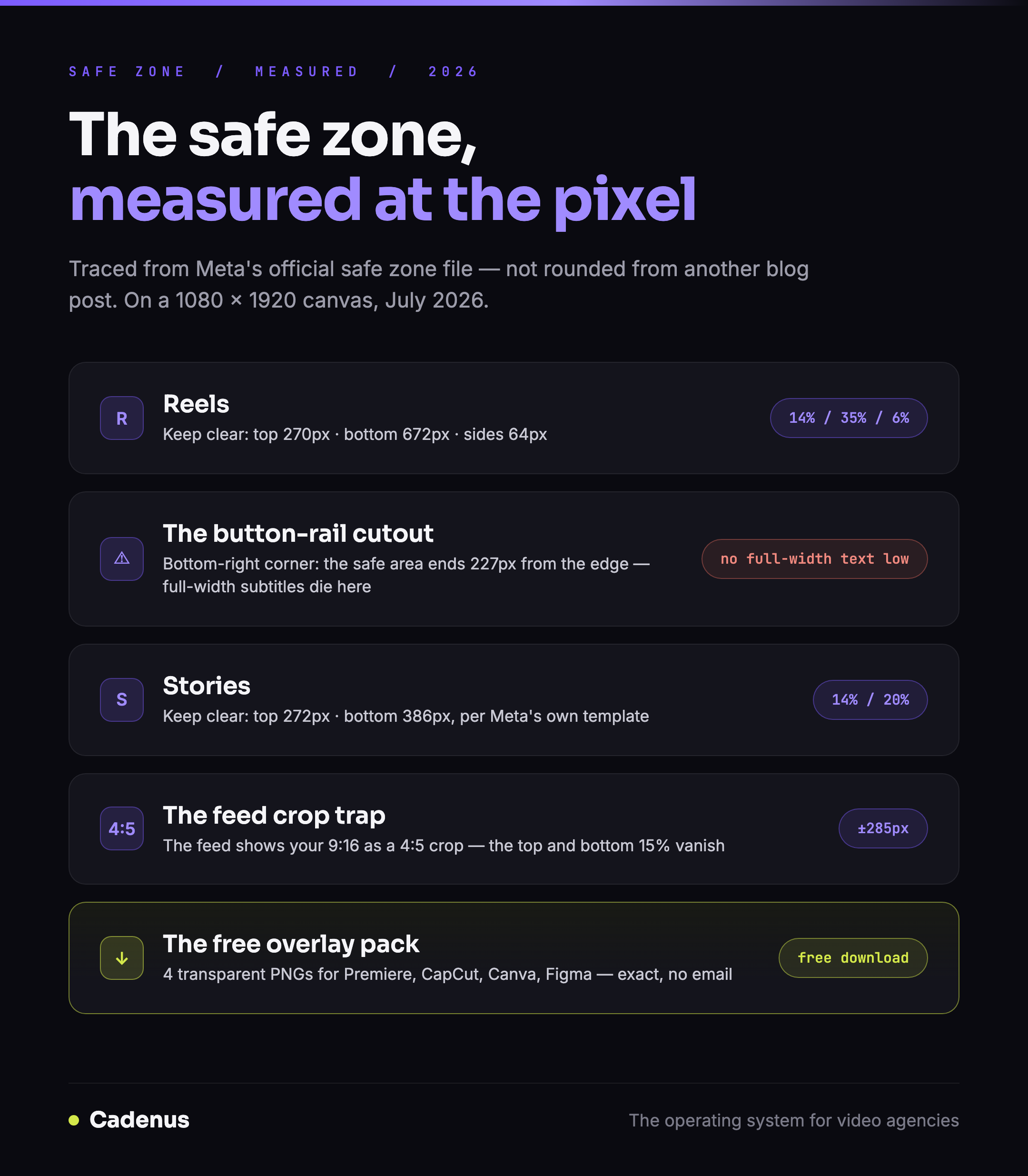 The Instagram safe zone measured from Meta's official file: Reels, Stories and the 4:5 feed crop
The official numbers, measured at the pixel
On a 1080 × 1920 canvas, Meta's official Reels safe zone template keeps:
| Edge | Keep clear | As a share of the frame |
|---|---|---|
| Top | 270 px | 14% |
| Bottom | 672 px | 35% |
| Left and right | 64 px each | 6% |
| Bottom-right (button rail) | an extra step to 227 px from the right, starting 1,150 px down | n/a |
That last row is the detail every rounded-off guide misses: the like, comment and share rail sits in the lower right, so the safe area is not a rectangle, its bottom-right corner is cut away. If your subtitles run full-width near the bottom, their last words sit under the buttons.
Two more official variants, from the same Meta file:
- Reels ads with a disclaimer: leave the entire bottom 40 percent free.
- Stories: keep roughly the top 14 percent (about 270 px) and the bottom 20 percent (about 385 px) clear. For Stories ads, Meta's current spec is stricter: 14 percent top, 35 percent bottom and 6 percent on each side.
Download the overlay pack
Four transparent PNGs at 1080 × 1920, traced from Meta's official file in July 2026, with the unsafe areas dimmed and the safe area left clear:
- Reels safe zone, including the button-rail cutout
- Reels safe zone with disclaimer, bottom 40% clear
- Stories safe zone
- 4:5 feed-crop guide for 9:16 video, see below
- Or everything at once: download the full pack (ZIP)
No sign-up, no watermark on your export, the labels sit in the dimmed area, outside your content.
How to use the overlays
The workflow is the same in every tool: put the PNG on the top layer, design underneath it, hide the layer before export.
- Premiere Pro / Final Cut: drop the PNG on the highest video track, keep it visible while you position text, disable the track before export.
- CapCut: add the PNG as an overlay, set it to full screen, delete it before export.
- Canva / Figma: place the PNG as the top layer and lock it; design under it; toggle it off when you download.
For teams, the overlay is half the answer, the other half is checking the real frame before it ships. In Cadenus, the client reviews the actual Reel or Story in the approval step, so a caption sitting under the button rail gets caught before publishing, not after.
The 4:5 feed crop: where good Reels lose their hook
A detail from Meta's own file that almost nobody designs for: when your 9:16 Reel appears in the regular feed, it is shown as a 4:5 crop: the top 15 percent and bottom 15 percent of your frame are cut off. A hook line placed high in the frame plays fine in the Reels tab and disappears entirely in feed.
The fourth overlay in the pack marks that central 4:5 window. Keep the hook text and any must-see visual inside it and your Reel survives both surfaces.
FAQ
What is the Instagram safe zone?
The area of the frame that Instagram's interface does not cover. Anything outside it, near the top, bottom or right edge, risks sitting under the username, caption, reply bar or the like, comment and share buttons.
What are the exact Reels safe zone dimensions?
Measured from Meta's official safe zone file on a 1080 × 1920 canvas: keep 270 pixels clear at the top, 672 at the bottom and 64 on each side, and note the bottom-right corner, where the button rail extends the clear area to 227 pixels from the right edge.
What is the safe zone for Instagram Stories?
Meta's official template keeps roughly the top 14 percent (about 270 pixels) and the bottom 20 percent (about 385 pixels) of a 1080 × 1920 Story clear. For Stories ads, the current recommendation is stricter: 14 percent top, 35 percent bottom, 6 percent per side.
Does the safe zone apply to organic posts or only ads?
Meta publishes the numbers for ads, but the interface that covers your content, username, caption, buttons, reply bar, is the same on organic Reels and Stories. Treat the ad safe zone as the spec for everything you publish.
How do I check if my video respects the safe zone?
Put a safe zone overlay PNG on the top layer of your edit and make sure text, logos and key visuals stay inside the clear area. Then watch the export in the app once before it ships, or make the check part of your approval step, so a reviewer confirms the real frame every time.
Sources
- About text overlays and the safe zone for ads, Meta Business Help Center, checked July 2026.
- Meta's official Reels safe zone checker, the file our overlays are traced from, July 2026.
- Instagram Stories image ad specs, the 14/35/6 percent guidance.
- The TikTok side, and the rule that its safe zone is not fixed: TikTok safe zone
- The full spec guides: Instagram Reels size and dimensions · Instagram Story dimensions · Instagram carousel size