 Notion×
 Cadenus
Notion social media scheduler
Publishing from Notion
is finally simple.
Add the post, choose the channels and set the time. Cadenus publishes to Instagram, Facebook, TikTok, YouTube, LinkedIn and X, then puts the live link back in Notion.




Your Notion calendar, now publishing
Content calendarKifer Foods · connected to CadenusOct 12, 18:00ReadyPublishedinstagram.com/reel/DP4k…Oct 14, 12:00ReadyPublishedtiktok.com/@kiferfoods/video/74…Oct 16, 09:00ReadyScheduledOct 19, 11:00DraftThree small decisions. No second workflow.
Your team keeps planning in Notion. Cadenus takes care of everything between “ready” and “published”.
- 1
Add the post
Put the caption, images or video in the Notion row you already use.
- 2
Choose where and when
Pick the channels, set the date and mark the post ready.
- 3
Cadenus publishes it
The post goes live on time. The status and live link come back to Notion.
Nothing new to learn. Nothing to copy over.
Connect the content calendar your team already opens every morning. Your captions, media, dates and channels stay together in one row.
- Keep your existing Notion database
- Publish images, carousels and video
- Get the status and live link back
Big videos come in too.
Notion's free plan stops an upload at 5 MB. A Reel is bigger than that.
So each connected calendar gets a drop link. Upload the clip there, and it lands in the right row.
- Media is copied, so next week's post never points to an expired Notion file
Stop moving the same post between tools.
The usual setup
- Copy the caption into another scheduler
- Upload the same files again
- Check every channel to see what went live
- Keep two calendars in sync
Notion + Cadenus
- One row holds the plan and the post
- Upload the files once
- See the result inside Notion
- Keep one calendar, the one your team already knows
posts copied into another scheduler
social networks from one calendar
per month for the whole connection
The difference is one less tool in your day.
You can keep Notion for planning and add a separate scheduler. Or you can make the calendar you already use publish for you.
| What happens | Notion + another scheduler | Notion + Cadenus |
|---|---|---|
| Planning | Notion | Notion |
| Publishing | A second social media tool | From the same Notion row |
| Media | Uploaded again | Added once |
| Confirmation | Checked channel by channel | Written back to Notion |
| Cost | Another full subscription | €19 a month |
Publishing from Notion, answered.
Does Notion have a social media scheduler?
Not by itself. Notion is where you plan the calendar. Connect Cadenus and those same rows can be scheduled and published without moving the work into another tool.
Which social media channels can I publish to from Notion?
Instagram, Facebook, TikTok, YouTube, LinkedIn and X. Choose one channel or several in the Notion row and Cadenus publishes to each one.
Can I schedule Reels, TikToks and carousels from Notion?
Yes. Add the images or video, write the caption, choose the channels and set the time. Cadenus takes care of publishing the right format to each destination.
Do I have to rebuild my Notion database?
No. Keep the content calendar you already use. You connect the fields once and continue working as before.
How do I know a post was published?
Cadenus updates the same Notion row with the publishing status and the link to the live post. Your calendar stays the single place to check what happened.
How much does the Notion social media scheduler cost?
The Notion publishing connection is €19 a month. It covers all supported social networks, rather than charging for each channel.
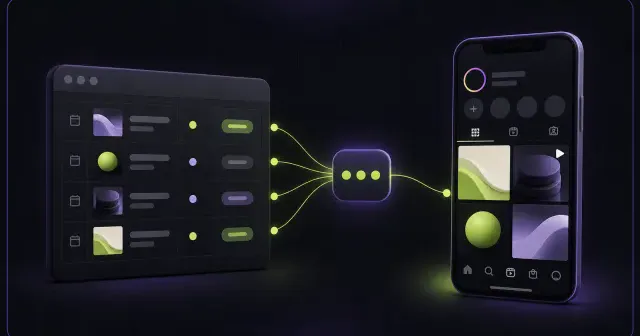
Read our guide to posting to Instagram from Notion.
Your Notion calendar can start publishing this week.
€19 a month. 7 days free. Card required, cancel any time.