Blog
TikTok safe zone: the exact 2026 template in pixels
The TikTok safe zone on a 1080 × 1920 frame: 130px top, 484px bottom, 44px left, 140px right, plus the rule TikTok publishes and nobody quotes: a longer caption shrinks the safe zone. Two free overlay PNGs for Premiere, CapCut, Canva and Figma.
Cadenus · 28 July 2026 · 6 min read
On a 1080 × 1920 TikTok video, keep 130 px clear at the top, 484 px at the bottom, 44 px on the left and 140 px on the right. Those are the numbers every guide prints, and they are the right place to start. What almost no guide tells you is the sentence TikTok itself puts next to them: the safe zone is not fixed. It shrinks as your caption gets longer. This page has the pixel values, the rule behind them, and free overlay PNGs you can drop straight into Premiere, CapCut, Canva or Figma.
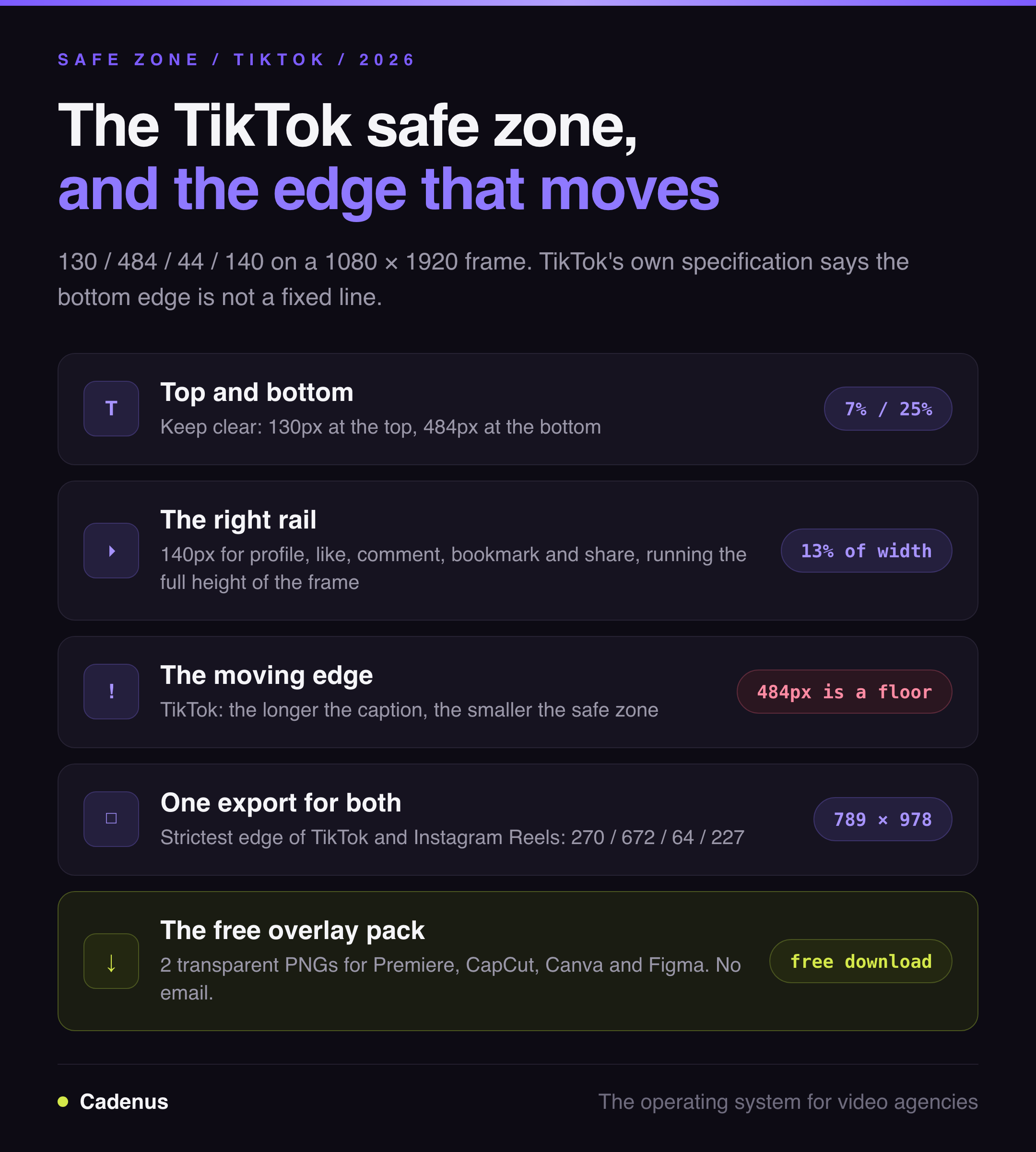
The TikTok safe zone in pixels
| Edge | Keep clear | As a share of the frame | What sits there |
|---|---|---|---|
| Top | 130 px | 7% | Following / For You tabs, search icon |
| Bottom | 484 px | 25% | Username, caption, sound title, progress bar |
| Right | 140 px | 13% of the width | Profile photo, like, comment, bookmark, share |
| Left | 44 px | 4% of the width | Edge cropping across screen sizes |
That leaves a clear window of 896 × 1306 px, starting 44 px in from the left and 130 px down from the top. Anything you need a viewer to read goes inside it.
The bottom band is the one that surprises people. A quarter of your frame is spoken for before you place a single element, and it is the quarter where most editors instinctively put subtitles.
The rule everyone misses: your caption moves the boundary
TikTok's own ad specification says it plainly:
The safe zone size is determined by the ad dimension format such as vertical, horizontal or square, and the ad caption length. The longer a caption is, the smaller the safe zone will be.
Read that again, because it changes how you use the number above. 484 px is not a constant. It is the bottom boundary for a video with a short caption. Write three lines instead of one and the caption block grows upward, taking more of your frame with it. Every "TikTok safe zone template" that prints a single fixed rectangle is describing one case out of many.
There are two ways to work with that, and only one of them is reliable:
- Keep captions short so the published frame matches the template you designed against. This works right up until a client rewrites the caption on approval day.
- Design with headroom. Put nothing critical in the bottom third at all, and treat 484 px as a floor rather than a target. If your end card sits at 600 px from the bottom, no caption length can reach it.
For anything with a client's name on it, the second option is the only one that survives contact with reality. The caption is the field most likely to change after the edit is locked.
Download the overlay pack
Two transparent PNGs at 1080 × 1920, with the unsafe areas dimmed and the safe area left fully clear:
- TikTok safe zone at 130 / 484 / 44 / 140
- TikTok and Instagram Reels combined, the strictest edge of each platform in one frame
- Or both at once: download the pack (ZIP)
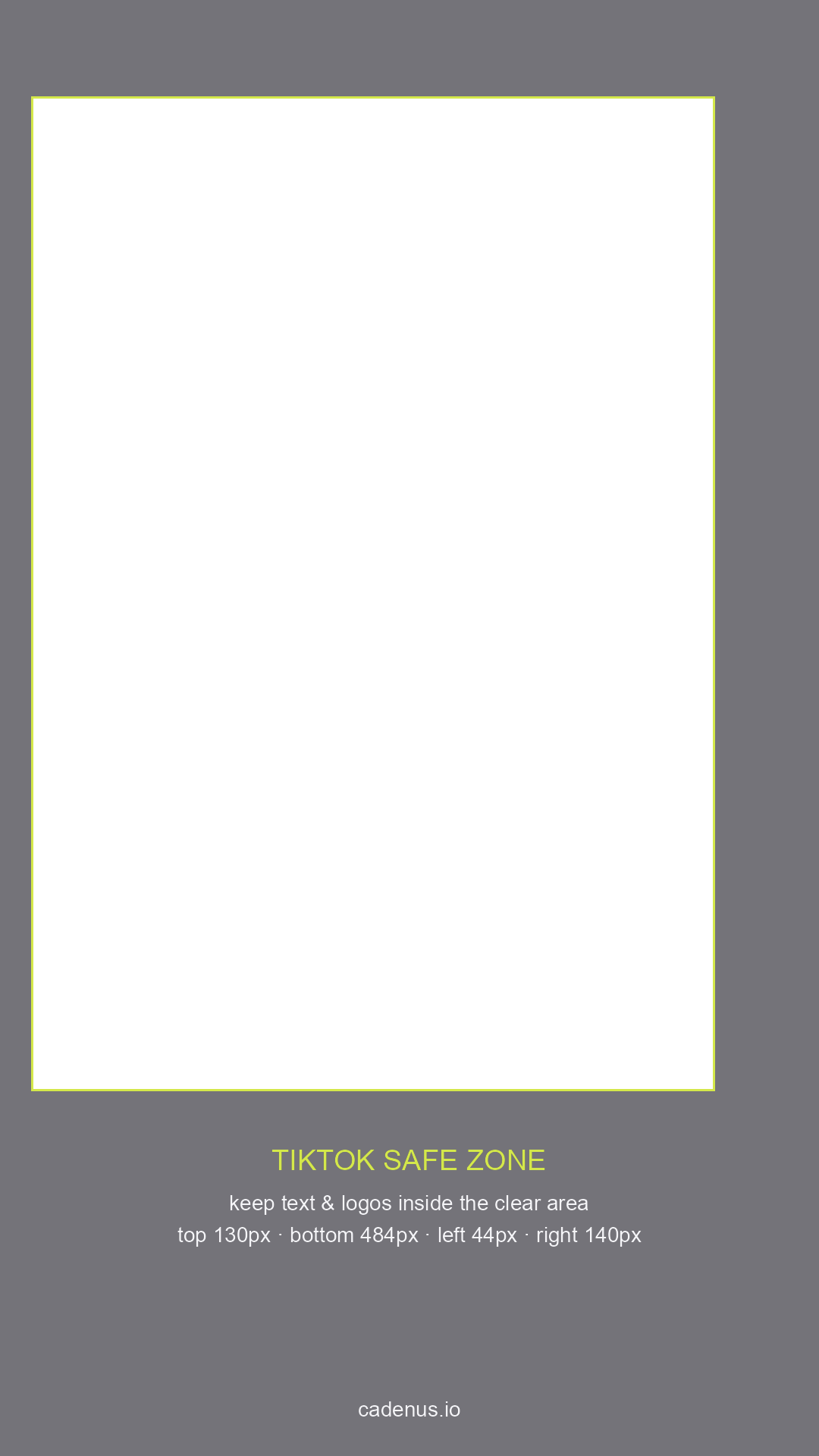
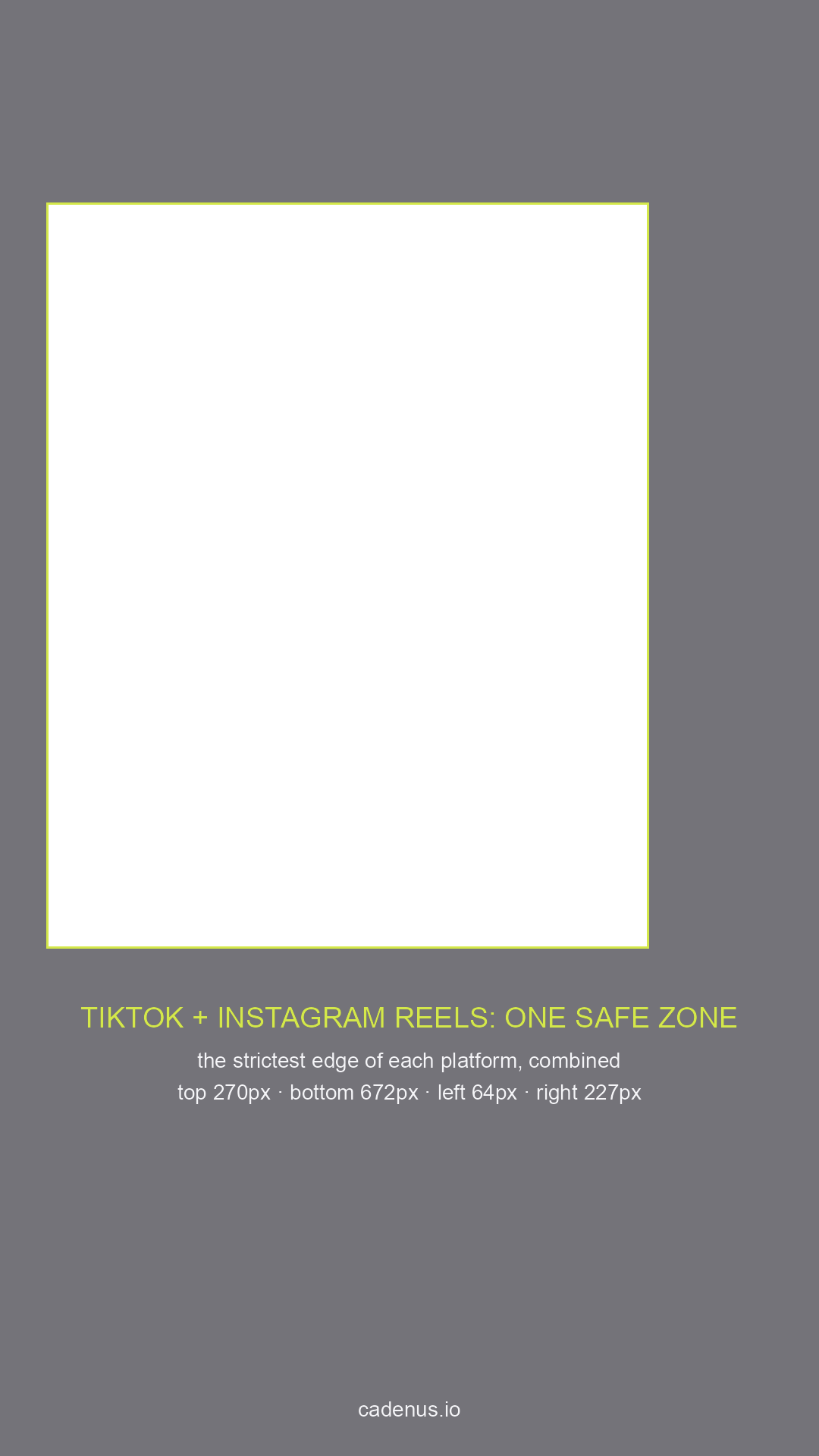
No sign-up, no email, no watermark on your export. The labels sit in the dimmed area, outside your content.
How to use the overlays
Same workflow in every tool: put the PNG on the top layer, design underneath it, hide the layer before export.
- Premiere Pro and Final Cut: drop the PNG on the highest video track, keep it visible while you position text, disable the track before export.
- CapCut: add it as an overlay, scale it to full screen, delete it before you export. On mobile, add it as the last clip in the overlay track and toggle its visibility.
- Canva and Figma: place the PNG as the top layer and lock it, design under it, toggle it off when you download.
- After Effects: import as footage, place on the top layer, set it to a guide layer so it never renders.
Does the safe zone apply to organic posts or only ads?
TikTok publishes these numbers for advertisers, which is why the file lives inside Ads Manager. But the interface that covers your video is the same interface either way. An organic TikTok gets the same username line, the same caption, the same sound title and the same button rail down the right. There is no separate, roomier layout for posts you did not pay for.
So treat the ad safe zone as the spec for everything. The one genuine difference works in your favour: an ad carries a call-to-action button that eats further into the bottom, so an organic post designed to ad spec has margin to spare, never the other way round.
One export for TikTok and Instagram Reels
Most agencies are not making a TikTok video. They are making a vertical video that goes to TikTok and Instagram, and sometimes to a third place after that. Designing to TikTok's numbers and then reposting to Reels is how a caption ends up behind Instagram's button rail.
The two platforms hide different parts of the frame. Instagram takes far more at the top and the bottom. TikTok's button rail runs the full height of the frame, where Instagram's only cuts in near the bottom, so in the upper half TikTok is the stricter of the two on the right edge:
| Edge | TikTok | Instagram Reels | Design to |
|---|---|---|---|
| Top | 130 px | 270 px | 270 px |
| Bottom | 484 px | 672 px | 672 px |
| Left | 44 px | 64 px | 64 px |
| Right | 140 px | 227 px in the lower frame | 227 px |
Take the strictest edge from each column and you get a single window that is safe on both: 789 × 978 px, sitting 64 px from the left, 270 px from the top. That is the second overlay in the pack. One export, no per-platform re-crop, nothing hidden on either app.
It is a smaller box than either platform demands on its own, and that is the trade. You lose some canvas and you stop re-exporting the same video twice.
Where safe zones actually break
Not in the edit. In the handoff.
The editor respects the overlay, the file is perfect, and then the caption gets rewritten during approval, or the client asks for the logo to sit lower, or a subtitle line runs one word longer than it did in the draft. None of those changes go back through the person who owns the overlay, and the video publishes with its call to action under the share button.
The fix is a review step that looks at the real frame, not a link to a Dropbox folder. In Cadenus, the client sees the actual vertical video in the approval step, comments on the frame itself, and the approved version is the one that publishes natively to TikTok at its scheduled slot. The caption is approved with the video rather than typed in afterwards, which removes the single most common way a correct safe zone still ends up wrong.
FAQ
What is the TikTok safe zone?
The part of a 1080 × 1920 frame that TikTok's interface does not cover. Text, logos and calls to action outside it risk sitting under the caption, the username, the sound title or the like, comment and share buttons on the right.
What are the exact TikTok safe zone dimensions?
On a 1080 × 1920 canvas: 130 px clear at the top, 484 px at the bottom, 44 px on the left and 140 px on the right, leaving a clear window of 896 × 1306 px. TikTok notes that the bottom boundary moves as the caption gets longer, so treat 484 px as a minimum rather than a fixed line.
Is the TikTok safe zone the same for organic videos and ads?
The published numbers come from TikTok's ad specifications, but the interface covering your video is identical on organic posts. Ads add a call-to-action button that takes more of the bottom, so a video designed to the ad safe zone is always safe organically.
What is the safe zone for TikTok and Instagram Reels together?
Take the strictest edge from each: 270 px top, 672 px bottom, 64 px left and 227 px right, which leaves a 789 × 978 px window that is clear on both platforms. That lets one export go to TikTok and Reels without a per-platform re-crop.
How do I check my video against the TikTok safe zone?
Put a safe zone overlay PNG on the top layer of your edit and confirm that text, logos and key visuals stay inside the clear area, then hide the layer before exporting. For client work, make the same check part of the approval step so someone confirms the real frame with the real caption before it publishes.
Sources
- Specifications for TikTok Interactive add-on: Download Card - TikTok Ads Manager help centre, checked July 2026, for the rule that caption length changes the safe zone size.
- TikTok's downloadable safe zone files, available inside Ads Manager, are the source of the 130 / 484 / 44 / 140 values used across the industry.
- The Instagram side, measured from Meta's own file: Instagram safe zone templates
- The full vertical specs: Instagram Reels size and dimensions · Instagram Story dimensions