TikTok scheduler
Every client's TikTok. One calendar.
Videos go to the client for a one-tap approval, then post themselves at the scheduled time. No reminders, no phone, no logging in and out of TikTok Studio.
7-day free trial · Cancel any time, nothing charged
 Waiting approval✓ Approved





TikTok for clients, today
Eight logins. Zero sign-offs.
- Eight clients = eight TikTok Studio logins
- Drafts bounced through WhatsApp for a yes
- A 10–30 day scheduling window
- Refreshing the feed at 18:05 — did it post?
With Cadenus
One calendar. Approved first.
- Every client account, one calendar
- The client yes, recorded before the slot
- Publishes itself at the scheduled time
- Plan a quarter ahead — no window
Run the numbers
TikTok Studio stops where agency work starts.
Three TikToks a week for eight clients is 96 scheduled posts a month — in TikTok Studio that is eight separate logins and zero sign-offs; in Cadenus it is one calendar.
96
posts a month — 3 TikToks a week, 8 clients
8 → 1
TikTok Studio logins collapsed into one calendar
0
reminder notifications — the post goes out by itself
01
The client approves first.
Every TikTok can require sign-off before it gets a slot. The client opens a secure link — no account, no new tool — watches the video, approves or requests changes. Every decision lands on the record, so "who said yes to this" is never a debate.
Client approvals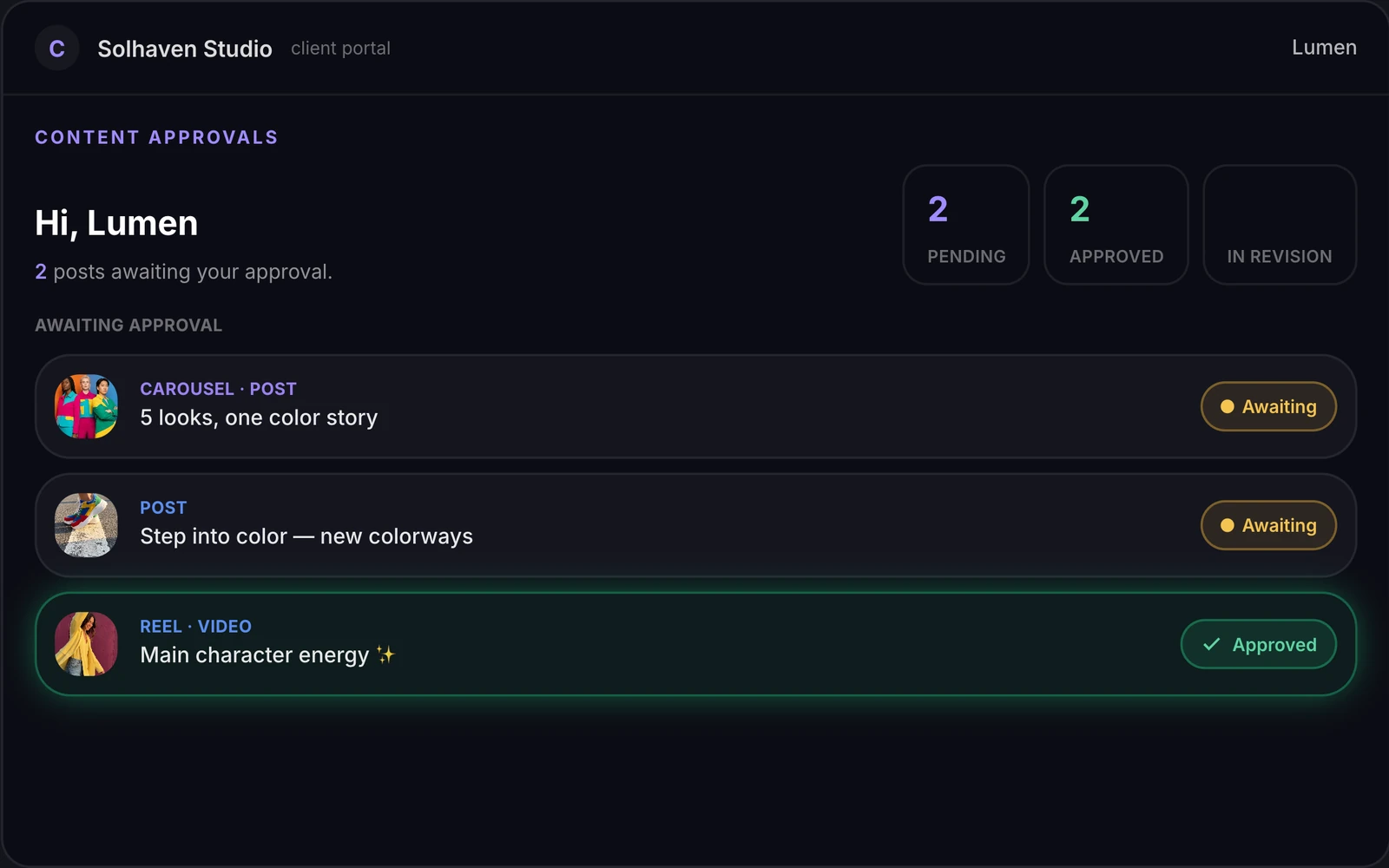
02
Then it publishes itself.
The approved video lands in the composer with a caption per platform and a live preview, takes its slot on the calendar, and goes out on its own at the scheduled time — with the Instagram Reels, Facebook, LinkedIn and X versions riding the same upload. If something fails, it retries and tells you.
PublishingPreviewHonest comparison
TikTok Studio is fine — for one account.
If you run a single TikTok account, use TikTok Studio, it's free. The moment you run TikTok for clients, its limits become your workflow.
| TikTok Studio | Cadenus | |
|---|---|---|
| Accounts | One at a time | Every client account, one calendar |
| Scheduling window | ~10–30 days ahead | As far ahead as you plan |
| Client approval | None | Magic-link sign-off before publish |
| Publishing | Native | Native — the video posts by itself |
| Cross-posting | None | Instagram Reels, Facebook, LinkedIn, X |
| Team roles | Shared login | Editors, strategists, owners — scoped access |
TikTok Studio limits as documented by TikTok in July 2026; subject to change.
How it works
From edit to published, without the chase.
01
Connect client accounts
Each client's TikTok account connects once, through TikTok's own connect screen — nobody shares a password. Editors see the brands they work on, nothing else.
02
Schedule and send for approval
Drop the video on the calendar, write the caption, pick the cover frame. If the client needs to sign off, they get a link — watch, approve or comment, done.
03
It publishes itself
At the scheduled time the video goes live on its own, and the same upload can go to Instagram Reels, Facebook, LinkedIn and X.
FAQ
Scheduling TikTok, answered.
Can you schedule TikTok posts?
Yes, two ways. TikTok Studio (on the web or in the separate TikTok Studio app) schedules posts natively, but only 10–30 days ahead depending on where you schedule from, and only for one account at a time. Schedulers that work with TikTok officially, like Cadenus, remove both limits and add what agencies actually need: every client account in one calendar and an approval step before anything goes live.
Does TikTok allow scheduling tools?
Yes. TikTok has an official Content Posting API for exactly this, and tools using its direct-post mode publish the video automatically at the scheduled time — it is not a reminder notification you have to act on from your phone. Cadenus publishes through this official API.
Do scheduled TikTok posts get less reach?
No. There is no evidence that TikTok penalizes content published through its official API — the API exists precisely so businesses can publish this way. What actually moves reach is content quality, consistency and posting time, and a scheduler helps with two of those three.
Can my clients approve TikToks before they go live?
In Cadenus, yes — and it is the point of the product. Every video can require sign-off first: the client opens a link, watches the video, approves or requests changes. No client accounts, no passwords. Approved videos move to the calendar and publish themselves.
How far in advance can I schedule TikTok posts?
TikTok's own scheduler caps at roughly 10 days from TikTok Studio on desktop and up to 30 days from some surfaces. Cadenus has no window — plan a quarter ahead if your content is ready, and drag posts around the calendar when plans change.
Worried scheduling hurts performance? Read what the data says about schedulers and reach, compare the best schedulers for agencies, or write better captions with the free TikTok caption generator.
Run your whole agency from one place — starting this week.
7-day free trial · Cancel any time, nothing charged