By Cadenus
On this page
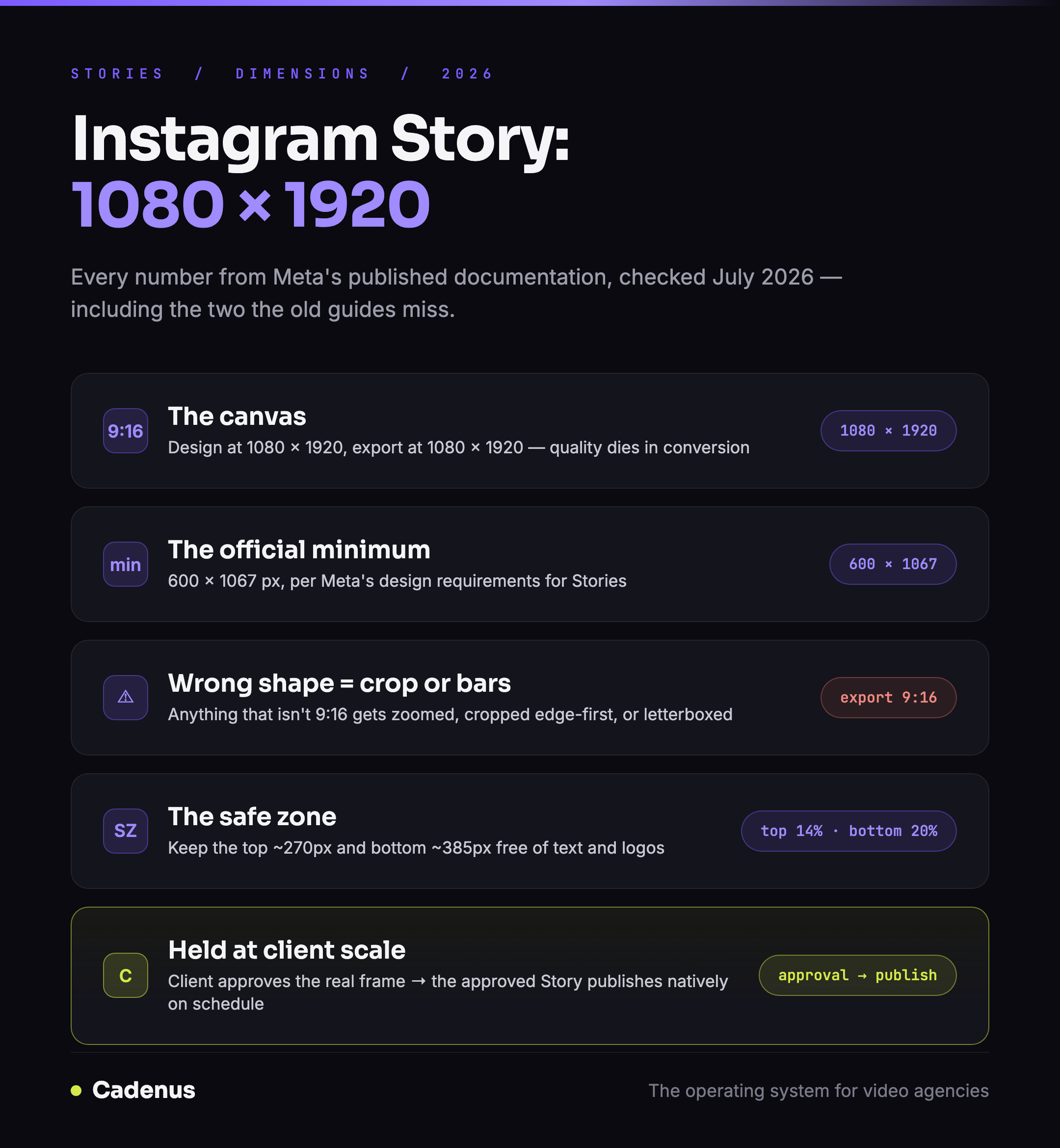
An Instagram Story is 1080 by 1920 pixels at a 9:16 aspect ratio. That is the full answer for most people. The details underneath it, the official minimum, what happens to photos that are the wrong shape, and which parts of the screen Instagram's own interface covers, are where Stories quietly go wrong, especially when you publish them for clients every day. Every number in this guide comes from Meta's published documentation, checked in July 2026.
 Instagram Story dimensions for 2026: size, ratio, minimums and the safe zone
The exact Instagram Story size
| Spec | Value |
|---|---|
| Recommended resolution | 1080 × 1920 pixels |
| Aspect ratio | 9:16 |
| Official minimum | 600 × 1067 pixels |
| Photo formats | JPG, PNG |
| Video formats | MP4, MOV |
The recommended resolution and the 600 × 1067 minimum come from Meta's design requirements for Stories. For ads, Meta publishes two more numbers worth knowing even for organic work: photos up to 30MB, video up to 4GB. Those are the only official file limits Meta prints anywhere.
One practical export rule covers everything: set your canvas to 1080 × 1920 before you design, and export at exactly that. Designing at another size and letting Instagram fix it later is where quality goes to die.
What happens when your image is the wrong shape
Instagram fills the full phone screen with your Story. Anything that is not 9:16 has to be adapted to fit, and there are only three ways that ends:
- Too wide (a landscape photo, a 1:1 post): it gets displayed with large empty bars above and below, or zoomed in until it fills the frame, which crops the sides off.
- Too small (under 1080 pixels wide): it gets scaled up, and upscaling is where sharp images turn soft. If your Story looks blurry, this is the most common cause.
- Slightly off 9:16: it gets cropped edge-first. Whatever sits near the borders, a logo, a swipe-up cue, is the first thing to go.
The Story safe zone: where the interface covers your content
A Story never renders clean, Instagram lays its own interface over it: your profile name and the close button at the top, the reply bar and actions at the bottom. Content placed there is technically on screen and practically invisible.
Meta publishes exact guidance. Its official safe zone template keeps roughly the top 14 percent and the bottom 20 percent of the frame free, on a 1080 × 1920 canvas, that is about 270 pixels at the top and 385 at the bottom. For Stories ads, the current recommendation is stricter: leave 14 percent at the top, 35 percent at the bottom, and 6 percent on each side free of text and logos, per Meta's Stories ad specs.
We traced Meta's official safe zone files and turned them into clean overlay PNGs you can drop into Premiere, CapCut, Canva or Figma, free, no email needed: the Instagram safe zone template pack.
Story vs Reel vs feed: the sizes side by side
| Format | Size | Ratio |
|---|---|---|
| Story | 1080 × 1920 | 9:16 |
| Reel | 1080 × 1920 | 9:16 |
| Feed portrait (tallest) | 1080 × 1440 | 3:4 |
| Feed portrait (classic) | 1080 × 1350 | 4:5 |
| Feed square | 1080 × 1080 | 1:1 |
| Feed landscape | 1080 × 566 | 1.91:1 |
Stories and Reels share the same canvas but not the same interface, a Reel's button rail sits on the right, a Story's reply bar sits lower, so the same 1080 × 1920 export needs different safe zones depending on where it publishes. The full spec for the other formats: Instagram Reels size and dimensions and Instagram carousel size.
Holding the spec at client scale
Getting one Story right is easy. Getting every Story right across ten client accounts, three editors and a month of scheduled content is a process problem, not a knowledge problem. The teams that manage it treat the spec as part of the review: the client approves the actual 1080 × 1920 frame, safe zones and all, before it gets a slot on the calendar. That order of operations, produce, review, approve, then publish, is what Cadenus runs for agencies: clients approve from a link with every decision recorded, and approved Stories publish natively at their scheduled time.
FAQ
What are the dimensions of an Instagram Story?
1080 × 1920 pixels at a 9:16 aspect ratio. Meta's official minimum is 600 × 1067 pixels, per its published design requirements for Stories.
Why does my Instagram Story get cropped?
Because it is not 9:16. Instagram fills the phone screen with your Story, so anything wider, squarer or slightly off-ratio gets zoomed and cropped edge-first, or displayed with empty bars. Export at exactly 1080 × 1920 and cropping stops being a variable.
What is the safe zone for Instagram Stories?
The area Instagram's interface does not cover. Meta's official template keeps roughly the top 14 percent and bottom 20 percent of the frame free, about 270 pixels at the top and 385 at the bottom of a 1080 × 1920 canvas. For Stories ads, Meta currently recommends leaving 14 percent at the top, 35 percent at the bottom and 6 percent on each side clear.
Are Instagram Story and Reel dimensions the same?
Yes, both are 1080 × 1920 at 9:16. The safe zones differ, because each format lays different interface elements over the frame: Reels put a button rail on the right and the caption low, Stories put your profile name at the top and the reply bar at the bottom.
What file formats do Instagram Stories support?
JPG and PNG for photos, MP4 and MOV for video. The only official file limits Meta publishes are for ads: 30MB for photos and 4GB for video.
Sources
- Design requirements for Instagram Stories ads, Meta Business Help Center, checked July 2026.
- Instagram Stories image ad specs, Meta Ads Guide, checked July 2026.
- The overlays, ready to use: Instagram safe zone templates
- The vertical sibling: Instagram Reels size and dimensions