By Cadenus
On this page
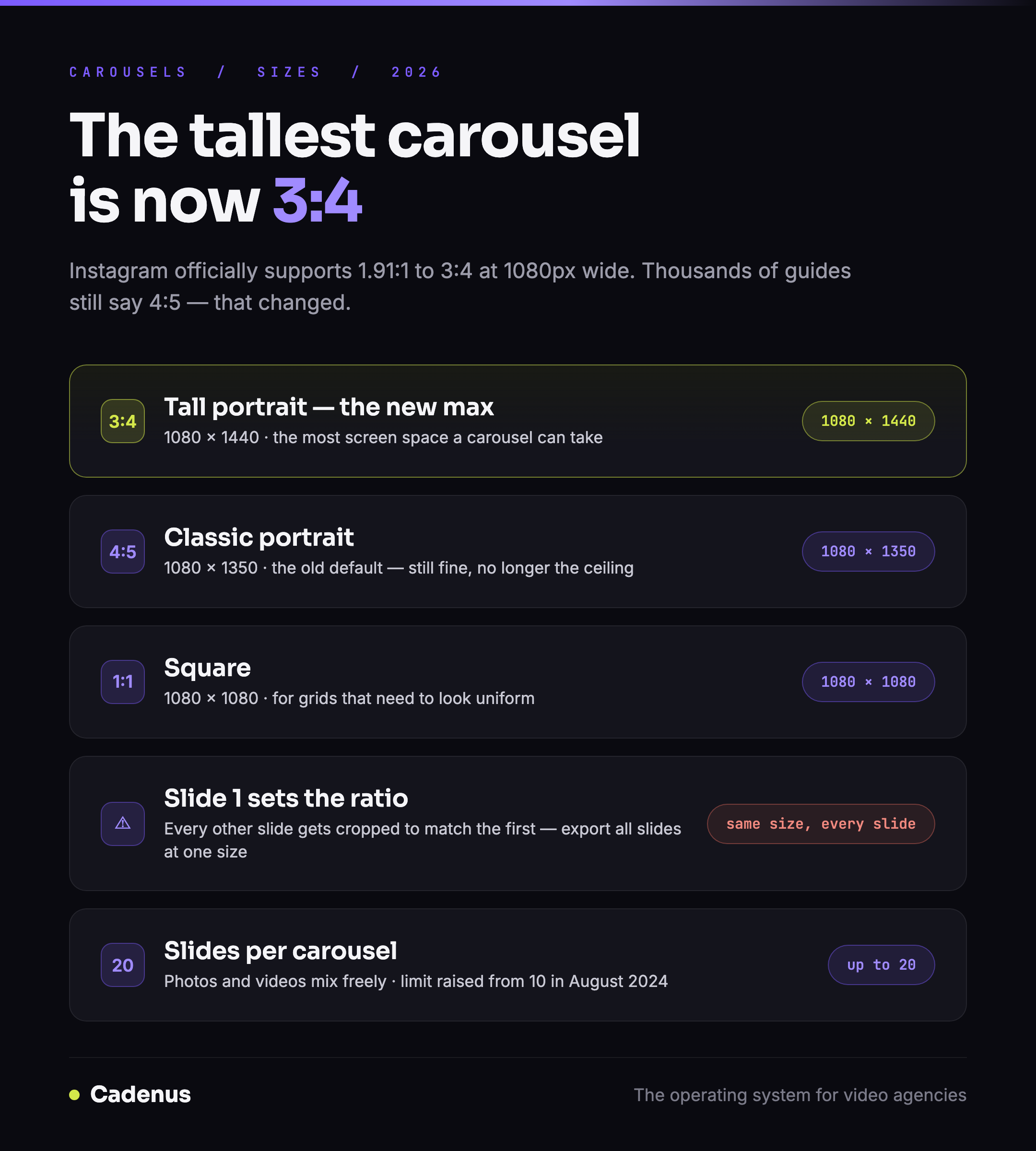
The best Instagram carousel size in 2026 is 1080 × 1440 pixels at 3:4: and if that surprises you, your information is a year old. Instagram's own documentation now supports photos from 1.91:1 all the way to 3:4, which makes 3:4 the tallest format a carousel can use and quietly retires 4:5 as the default answer. This guide has the exact sizes, the one rule about mixed slides that ruins carousels, and the current slide limit, all from Instagram's published documentation, checked in July 2026.
 Instagram carousel sizes for 2026: every supported ratio with exact pixels
The exact carousel sizes
| Format | Size | Ratio | Use it for |
|---|---|---|---|
| Tall portrait (max height) | 1080 × 1440 | 3:4 | The most screen space a carousel can take |
| Portrait (classic) | 1080 × 1350 | 4:5 | The old default; still fine |
| Square | 1080 × 1080 | 1:1 | Grids that need to look uniform |
| Landscape | 1080 × 566 | 1.91:1 | Rarely worth it on mobile |
The official rule behind the table, per Instagram's help documentation: upload at a width of 1080 pixels with an aspect ratio between 1.91:1 and 3:4: at 1080 wide, that is any height between 566 and 1440 pixels. Wider than 1080 gets scaled down; narrower than 320 gets scaled up; a ratio outside the range gets cropped to fit.
Older guides, and there are thousands of them, still print 4:5 (1080 × 1350) as the tallest option. That changed when Instagram moved to 3:4. The 90 extra pixels of height are free screen space; take them.
The first slide sets the ratio for every slide
One behavior decides how your carousel looks more than any pixel value: the aspect ratio of the first slide is applied to the whole carousel. Add a square image after a 3:4 opener and it gets cropped to 3:4. Mix a landscape shot into a portrait set and Instagram trims it, not you.
The fix is one habit: export every slide of a carousel at the same size, and decide that size before design starts, not at upload. For teams, put it in the brief, a carousel spec line costs one sentence and saves a re-export round.
How many slides can a carousel have?
Up to 20 photos and videos, since Instagram expanded the limit from 10 in August 2024. Photos and videos mix freely in one carousel.
Twenty slides is also twenty chances for a client to request changes. If carousels are part of your client work, the review needs to happen on the assembled carousel, with the right order, the right crops and the right captions, not on loose images in a chat thread. Which tool you use for that decides how often it actually happens: we compared fifteen social media approval tools on the one thing that predicts adoption, whether the client can approve without creating an account.
Why your carousel looks cropped or blurry
Three causes cover nearly every case:
- A slide was a different ratio than slide one: Instagram cropped it. Re-export all slides at one size.
- The source was under 1080 pixels wide: Instagram upscaled it and it went soft. Export at 1080, always.
- The image was much larger than 1080: Instagram's downscale plus compression can wash out fine detail. Export at exactly 1080 wide instead of dumping a 4000-pixel original.
And one display note: on your profile grid, Instagram previews posts as a portrait crop, so a square carousel cover can lose its edges on the grid. Keep the cover's subject centered.
Carousels for client work
A carousel is the highest-friction format an agency ships: up to 20 assets, one locked ratio, an order that matters and a client who wants slide 7 swapped. That is exactly the kind of work that falls apart over email and screenshots. In Cadenus, the assembled carousel goes to the client as a link, they see the real slides in the real order, approve or comment with every decision recorded, and the approved carousel publishes natively at its scheduled slot. The specs live in the pipeline, not in someone's memory.
FAQ
What size is an Instagram carousel?
1080 pixels wide, at any aspect ratio between 1.91:1 and 3:4, Instagram's official supported range. In practice: 1080 × 1440 (3:4), 1080 × 1350 (4:5), 1080 × 1080 (square) or 1080 × 566 (landscape).
What is the best ratio for an Instagram carousel?
3:4, 1080 × 1440 pixels. It is the tallest format Instagram's documentation supports, so it takes the most screen space in the feed. Older guides recommend 4:5 because until recently that was the maximum.
Can slides in a carousel have different sizes?
You can upload them, but Instagram crops every slide to the aspect ratio of the first one. Export all slides at the same size to keep control of the crop.
How many photos can an Instagram carousel have?
Up to 20 photos and videos in one carousel, since Instagram raised the limit from 10 in August 2024.
Why is my carousel blurry after posting?
Usually the source width: images under 1080 pixels get upscaled and go soft, and oversized images get compressed hard on the way down. Export at exactly 1080 pixels wide, at the ratio you chose for slide one.
Sources
- Image resolution of photos you share on Instagram, Instagram Help Center, checked July 2026: width 1080px, supported ratios 1.91:1 to 3:4.
- Instagram's carousel expansion to 20 slides: announced on Instagram's official account, August 2024.
- The vertical formats: Instagram Reels size and dimensions · Instagram Story dimensions
- Keep text out of the interface: Instagram safe zone templates