By Cadenus
On this page
Video production workflow software manages a video's whole life from brief to published post: the production stages between idea and final cut, versioned client review and approval, native publishing to TikTok, Instagram and YouTube, and the report that proves the work, in one system. It exists because for teams producing short-form video at volume, the coordination now costs more than the editing. This guide explains what the category actually covers, how it differs from the tools it is usually confused with, and how to choose one without buying three.
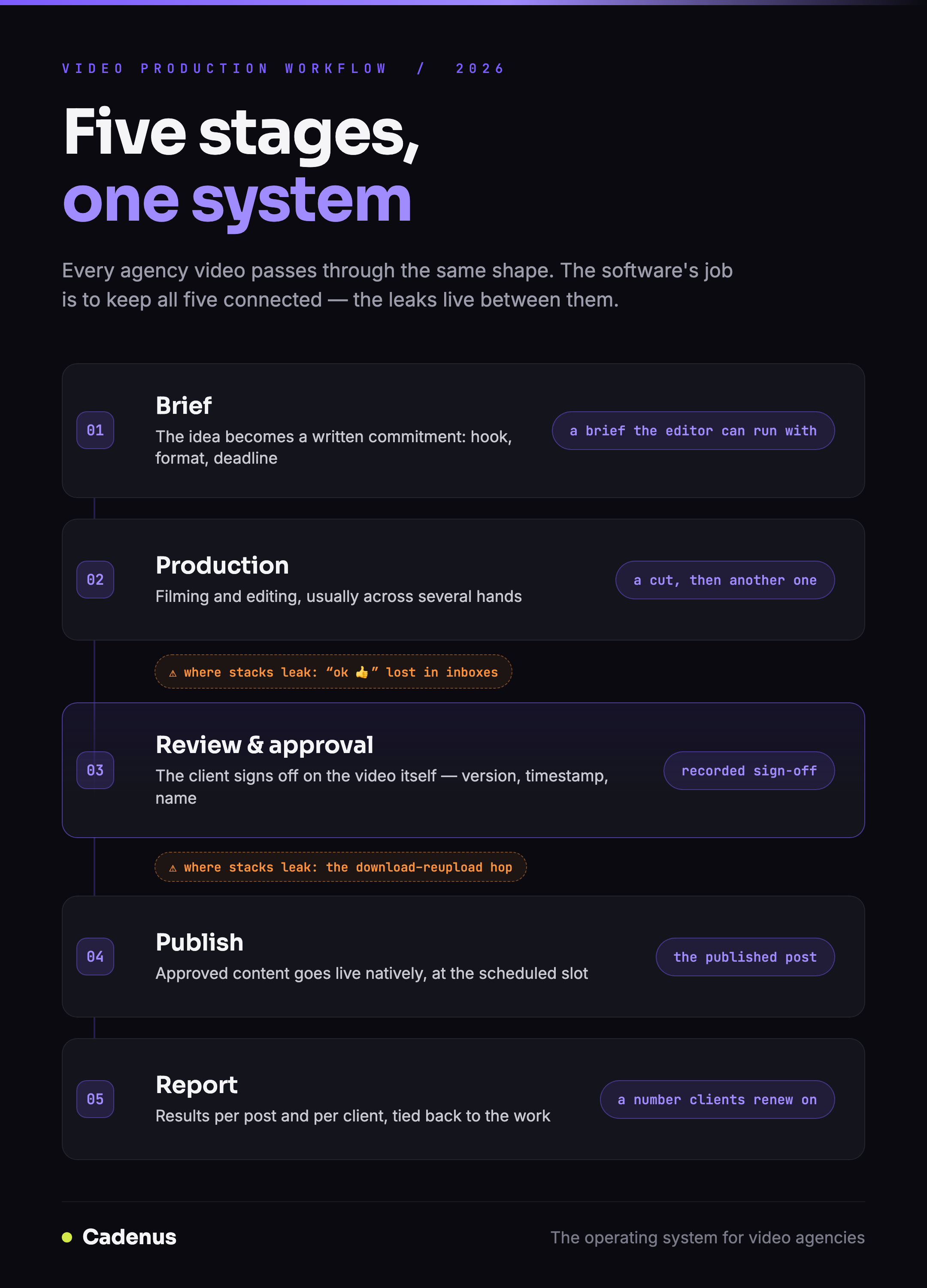 The five stages every video production workflow covers, from brief to published post, and who owns each one
What video production workflow software actually is
The category sits at the intersection of three older ones. It borrows production stages from project management, video review from post-production tools, and scheduling from social media managers, and its reason to exist is that running those as three separate subscriptions is how agencies end up as the human integration between their own tools.
A working definition: if a system can tell you where every video is right now (stage), get it approved by the client without a meeting (review), put it live on the platforms without a manual upload (publishing), and tell you whether the client was worth it (reporting), it is a video production workflow system. If it only does one of those, it is a point tool, possibly an excellent one, and it will need companions.
The distinction matters because the label gets applied loosely. Frame.io calls itself video review; ClickUp calls itself everything; schedulers increasingly say "workflow" on the pricing page. The five stages below are the honest test.
The five stages the software has to cover
Every agency video passes through the same shape, whatever names your team uses. This is the model from our pipeline guide, condensed:
| Stage | What happens | The artifact |
|---|---|---|
| Brief | The idea becomes a written commitment: hook, format, reference, deadline | A brief the editor can execute without a call |
| Production | Filming and editing, usually across several hands | A cut, then another one |
| Review & approval | The client sees the cut and signs off, or asks for changes, on the video itself | A recorded approval: what, when, by whom |
| Publish | The approved file goes live, natively, at the scheduled time | The published post |
| Report | Results per post and per client, tied back to the work | A number the client renews on |
Two of these five are where stitched-together stacks leak. Review and approval is the notorious one, the cut leaves the project tool, travels by email or chat, and the approval comes back as "ok 👍" in a thread nobody can find later. Agencies tell this story in almost identical words: approvals lost in inboxes, no record of who approved what and when, clients disputing sign-offs after publication. The second leak is the hop from approved to published, which in most stacks is a person downloading a file from one tool and uploading it into another, per post, per client, forever.
Why spreadsheets and chat stop working
Most agencies do not start with software at all. The starter stack is a spreadsheet for the calendar, a drive for the files, and a chat thread for everything else, and at three or four clients it genuinely works, which is exactly why it survives long past the point where it does not.
The failure is not dramatic. It is a post that missed its slot because the approval was in someone's inbox; a client reviewing version two while the editor was already on version four; a Sunday spent assembling next week's content into a presentation because the spreadsheet is not something you can show a client. Each incident costs an hour and a little credibility, and at ten clients the incidents are weekly. The spreadsheet was never the system, the founder was. Workflow software is how the founder stops being the integration.
The tool landscape: point tools versus one system
The honest map of what agencies actually consider, with mid-2026 list prices:
| Tool | Built for | Video review | Client approval | Publishing | Price shape |
|---|---|---|---|---|---|
| Cadenus | Video and social agencies, end to end | Versioned, on the video | White-label, no client account | Native: TikTok, IG, YouTube, FB, X, LinkedIn | Flat €39–79/mo, all clients included |
| Frame.io | Post-production craft review | The category reference | Reviewer seats | None, ends at the approved file | Per user, from ~$15/mo |
| ClickUp / Trello | Generic project management | Attachments, not review | Guest access, generic | None | Per user, free–$19/mo |
| Planable | Social content approval conversation | Comments on posts | Refined, per workspace | Scheduling included | Per workspace, ~$980/mo at 20 clients |
| Schedulers (Buffer, Metricool) | Publishing calendars | None | Light or none | Yes | Per channel or per brand, $6–110/mo |
Read the table by columns and the pattern is plain: every point tool is missing the stage on either side of the one it is best at. Frame.io produces a beautifully-reviewed file that still has to be published somewhere. Schedulers publish efficiently but have no idea a video went through four versions to get there. Project tools know the stages but treat a video like any other attachment.
The stitched stack, say ClickUp plus Frame.io plus Metricool, does cover all five stages. What it cannot do is connect them: the approval in Frame.io does not move the ClickUp card, and neither of them tells Metricool the file is final. A person does that. The going rate for that person is the real price of the stack.
The honest caveats run the other way too. If your work is long-form, documentaries, commercials, films, Frame.io's frame-accurate review is the craft standard, and a social-first system is not trying to replace it. And if video is something your team does occasionally rather than the business itself, a generic project tool is probably enough; the workflow category earns its keep at volume.
What it costs at agency scale
Price the job, not the tools. At ten clients, mid-2026 list prices put the stitched stack, a project tool, a review tool and a scheduler for a five-person team, between roughly $300 and $600 a month, depending on seats and tiers. A unified system prices flat: Cadenus runs €39 to €79 a month with every client, reviewer and channel included, on three plans that scale by workspace rather than by seat.
The subscription math is the visible half. The invisible half is that the stitched stack bills you in hours: the download-reupload hop on every published post, the version confusion, the "which tool is the truth" conversations. At agency volume that overhead is real headcount. One system does not just cost less than three, it deletes the job of carrying work between them.
How to choose: seven questions
Put any candidate, including us, against these:
- Can it show every video's stage at a glance, across all clients, without opening each project?
- Can a client approve a cut without creating an account? Every login you add to the client's side subtracts from your approval speed.
- Is the approval recorded: version, timestamp, name, so there is never a dispute about what was signed off?
- Does approved content publish natively, or does a person ferry files to a scheduler?
- Does it treat video as video: playable previews, versions, vertical formats, or as an attachment?
- What does client number eleven cost? Per-seat and per-workspace pricing punishes exactly the growth you are working toward.
- Can it tell you which clients are profitable, connecting the work to the retainer?
If a tool clears all seven, it is a workflow system. Five or six, it is a strong point tool that will need a companion, budget for the companion honestly. Fewer, and you are buying a calendar with ambitions.
For the scheduler-specific version of this decision, our best social media scheduler for agencies guide ranks the field by what ten clients actually cost. For how the stages work day to day once you have a system, start with the pipeline guide.
FAQ
What is video production workflow software?
Software that manages a video's whole life from brief to published post: the production stages between idea and final cut, versioned client review and approval, native publishing to TikTok, Instagram and YouTube, and reporting, in one system. It is built for teams producing short-form video at volume, where the coordination costs more than the editing.
What is the difference between video production workflow software and Frame.io?
Frame.io is a review-and-approval layer for file-based post-production, excellent for long-form craft feedback, priced per user from about $15 a month. Video production workflow software covers the pipeline around that moment too: production stages, client sign-off, scheduling and native publishing. Frame.io ends at the approved file; workflow software ends at the published post and the report.
Can I run a video production workflow in ClickUp or Trello?
You can model the stages, and many agencies start there. What generic project tools lack is the video-specific layer: playable previews, versioned client review, approval without a client account, and publishing. In practice teams end up stitching a project tool, a review tool and a scheduler together, workable at low volume, expensive and fragile at agency scale.
What does video production workflow software cost?
A stitched stack, project tool plus video review plus scheduler, typically lands between $300 and $600 a month for a ten-client agency, before the cost of moving work between them by hand. Unified systems run flat: Cadenus is €39 to €79 a month with clients, reviewers and publishing included.
What is the best video production workflow software for agencies?
For agencies producing short-form client video, Cadenus, production pipeline, white-label client approvals, native publishing and per-client profitability in one flat-priced system. For long-form craft review inside a post-production house, Frame.io remains the reference. If video is occasional rather than the core business, a generic project tool is usually enough.
Sources
- How the stages work in practice: Running a video pipeline: from brief to published
- Line-by-line comparisons: Cadenus vs ClickUp, vs Planable, vs Metricool, vs Buffer
- Pricing reflects each vendor's public plans as of July 2026 and is subject to change.